

Do you need to print in a format you are not familiar with? If you need large format printing, the first thing you need to consider is the resolution of the image you are going to use. Many times, when preparing an image to print in large sizes, the big question arises: What is the best resolution to make it look perfect? Don’t worry, because in this article we are going to tell you everything you need to know about print resolution and how to adapt it to your project, whatever you are printing.
Table of contents
- What is large format printing and who uses it?
- Large format print resolution: How does it work? (Technical aspects)
- What print resolution do you need depending on the type of material?
- The importance of colour in large format printing
- How does viewing distance affect print resolution?
- Common mistakes when determining resolution in large format printing
- Common cases in large format printing
- How to prepare an image for large format printing?
- Guide to maximising visual impact in large format printing
- Get the best resolution for large format printing with Cashdisplay’s tips
What is large format printing and who uses it?
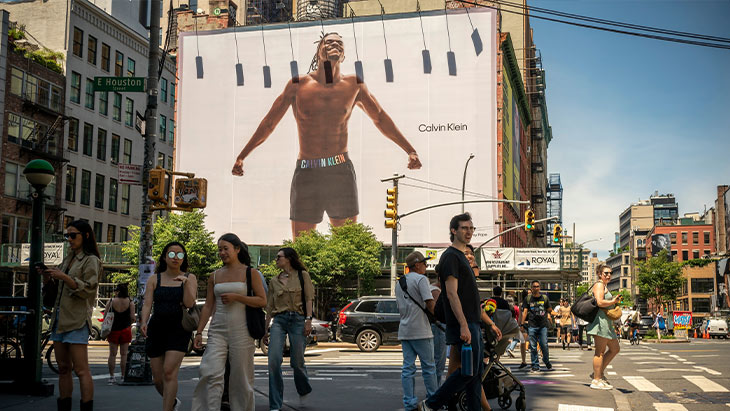
Large format printing is a method used in projects that require high visibility. Have you seen those giant banners in shopping centres or the billboards you see from the road? Those are classic examples of large format prints. This type of printing is popular among advertising companies, event organisers and shops that want to attract attention with large images and clear messages.
Common applications in advertising and events
If you are organising an event, you need everyone to see your brand from anywhere in the room. This is where large format prints come in: banners, murals or even prints for trade fair stands. They are ideal for making your message clear and visible from a distance, as long as you have the right print resolution.
Common cases: Banners, signs and billboards
Is your goal to capture attention while people walk along a busy avenue or while they drive on the road? Then you need something that is visually striking and clear. Billboards and outdoor banners are your best option. But be careful: you do not need the same print resolution used for posters that are viewed very close up.
Large format print resolution: How does it work? (Technical aspects)
Resolution is the number of dots per inch (DPI) or pixels per inch (PPI) that an image has. The higher the DPI, the more detail you will see. However, in large prints, you do not always need a very high print resolution, especially if the image will be viewed from a distance.
Definition of DPI and its role in print quality
DPI measures the ink dots that a printer places on paper. The more dots, the better the quality, but it also increases printing time and file size. For a banner that will be viewed from several metres away, you do not need those dots to be so close together.
PPI (pixels per inch) in digital design
In the digital world, we talk about PPI, which measures the pixels per inch in your digital file. If your image has a low PPI, it will look pixelated when enlarged. Ideally, you should work with the right print resolution from the start to avoid unpleasant surprises.
Differences between DPI and PPI and their impact on the final result
In short: PPI is important while you are designing your image on the computer, and DPI comes into play when your image is ready to be printed. You do not need to memorise this, but if you ever hear a printer talking about DPI, you will know what it is about.
What print resolution do you need depending on the type of material?
The resolution you need depends on the material you are going to print on. Not all materials respond in the same way. Here is a quick guide for you to keep in mind.
Posters and banners: Ideal print resolution
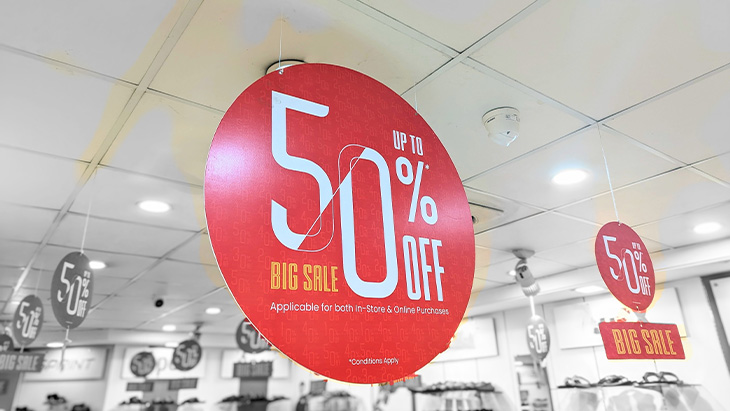
If your print is going to be close to the public, such as a poster or a banner inside a shop, it is best to use a resolution between 150 and 300 DPI. The details will look sharp, and your design will look the way it should.
Billboards and outdoor banners: When is 100 DPI enough?
When we talk about billboards or large banners that will be viewed from a distance, you can lower the print resolution to 100 DPI or even less. Why? Because from that distance, the human eye cannot distinguish such fine details, and you save printing time and file size.
The importance of colour in large format printing
When we talk about large format printing, colour is an undisputed protagonist that can make or break your design. In this context, it is essential to understand how colours work and how they can influence the effectiveness of your message. To begin with, it is vital to know the difference between the RGB (Red, Green, Blue) and CMYK (Cyan, Magenta, Yellow, Black) colour models.
While RGB shines on screens, CMYK is king in printing. So, if you want those vibrant colours in your digital design to be reproduced correctly on paper, make sure you work in the right format from the beginning.
Colour consistency and psychology in your designs
If you are creating multiple marketing materials, such as banners and brochures, it is very important that the colours are consistent! You do not want your message to lose strength because of a simple difference in shades. And do not forget colour psychology; each colour evokes different emotions. For example, red can create urgency, while blue conveys trust. So, when choosing your colours, think about how you want your audience to feel.
How does viewing distance affect print resolution?
The distance from which your print will be viewed is one of the most important factors to take into account. A poster in a meeting room is not the same as a billboard on a motorway. The farther it is from the viewer, the less print resolution you need.
Outdoor advertising vs. indoor prints
If you are designing something for a shop or a trade fair, where people will see it up close, it is important to use high print resolutions (200-300 DPI). But if you are printing a sign that will be viewed from far away, such as an outdoor banner, you can lower the DPI.
Relationship between distance and the amount of DPI needed
To give you a quick idea: Prints viewed up close: between 150 and 300 DPI. Prints viewed from far away: 100 DPI or less. Easy, right?
Common mistakes when determining resolution in large format printing
Many customers think that more DPI is always better. And although the intention is good, this does not always work. Let’s avoid some common mistakes that can cost you time and money.
Underestimating or overestimating the necessary print resolution
Too much DPI can make the file huge, while too little DPI can make the image look blurry. Find the balance. The key is to adjust the resolution according to the final use and viewing distance.
Customers with files that are not suitable for printing
Customers often send files with insufficient quality for large format printing, such as images downloaded from the Internet with low resolution. It is important to know that, to obtain high-quality results, files must meet certain technical requirements. Below, we explain the most recommended file formats to ensure the best print resolution quality:
- PDF (Portable Document Format): The PDF format is the most widely used standard, thanks to its ability to preserve print resolution in both images and text. A well-configured PDF can include vector graphics, which do not lose definition when enlarged, and ensure the correct representation of colours and fonts. It is the ideal format when the file contains a combination of complex graphic and typographic elements.
- TIFF (Tagged Image File Format): If you work with raster images that require high resolution, the TIFF format is the best option. Unlike JPG files, TIFF files do not lose quality when enlarged, which is essential for printing photographs or large graphics. This format guarantees excellent sharpness and detail.
- EPS (Encapsulated PostScript): Ideal for vector graphics, the EPS format allows images to be scaled without loss of quality, making it the preferred option for logos, illustrations and other graphic elements that need to be reproduced in different sizes. It is especially useful for preserving the definition of lines and outlines.
Common cases in large format printing
Have you ever prepared a file for large format printing and been told that the resolution was not enough? This problem is more common than it seems, but with a few practical recommendations, it can be easily avoided.
Adjusting the design to avoid cut-off edges
One of the most common mistakes is not adjusting the design properly, which can cause parts of the content, such as text or graphics, to be cut off at the edges. To prevent this, it is essential to add a bleed margin to the design, usually between 3 and 5 mm. This ensures that no important elements are lost during the cutting process.
How to prepare an image for large format printing?
Preparing an image for large format printing goes beyond having an attractive file; it must be ready to be enlarged without losing quality. Here are some key steps to optimise the file before sending it to print:
- Check the resolution: Make sure the print resolution is appropriate for the final size and viewing distance. Generally, a resolution of at least 150-300 DPI is recommended for large formats.
- Select the correct format: Vector formats, such as PDF or AI, are ideal for large-scale prints, as they allow scaling without loss of quality.
- Preview the file: Use your software tools to check that the image will not lose definition when enlarged. Adjust if necessary.
With these tips, you will be better prepared to achieve flawless print resolution for large format printing. Ready for the next step? Contact your printer and make sure everything is correct before giving the go-ahead.
Guide to maximising visual impact in large format printing
A good strategy to capture the public’s attention is to create a visual path that guides them towards your main message. For example, you can place advertising flags farther away from your stand, with striking images or text that generates intrigue about your product or service.
As visitors get closer, they can find a roll-up with the key message, strategically placed near your customer service team. This not only improves customer acquisition, but also facilitates the conversion process, boosting your sales or promoting your services more effectively.
Get the best resolution for large format printing with Cashdisplay’s tips
On our blog you will find all the tips you need, and more! So that you can configure the print resolution for your large format project yourself and without fear of making a mistake. If you still have questions, contact our team!


